How to record a meeting
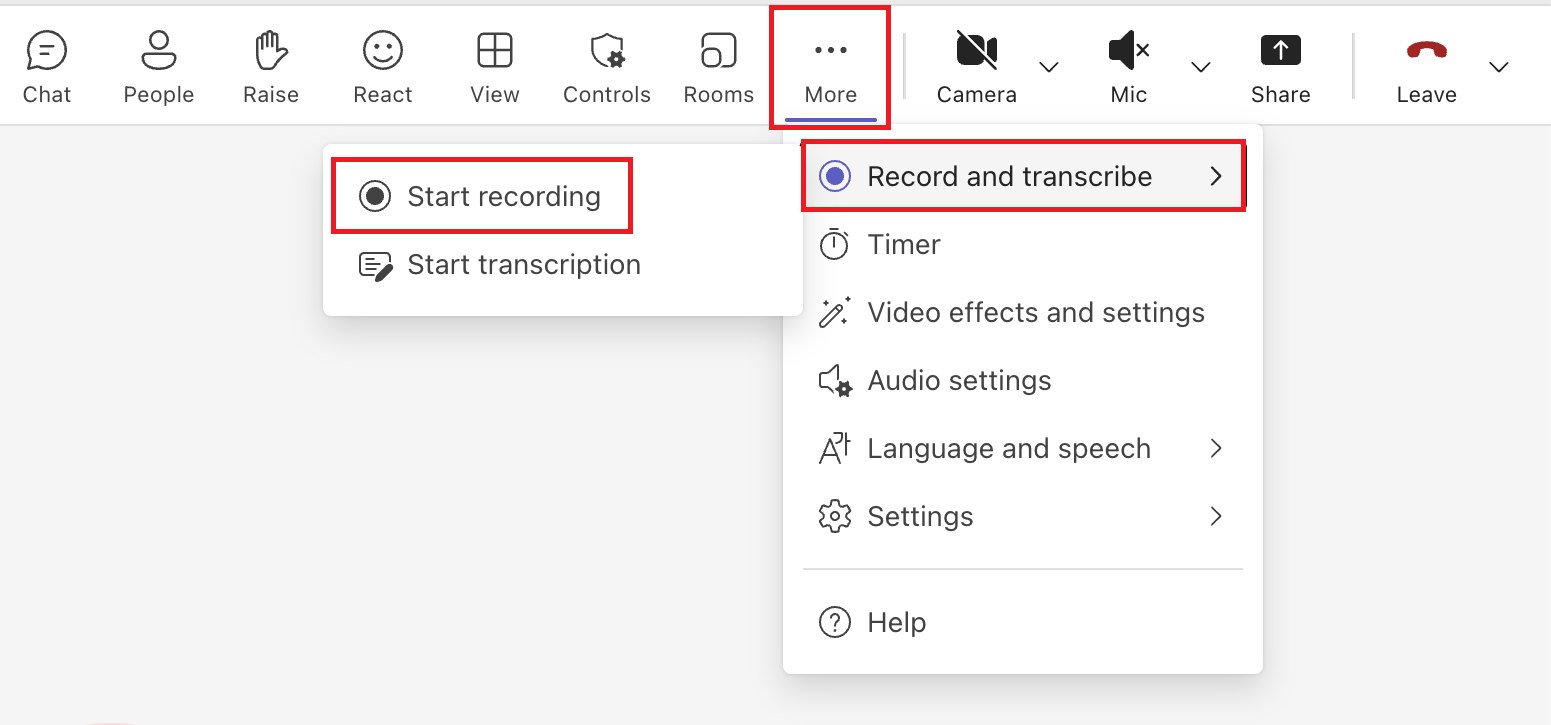
- During a meeting, click the "More" button next to the camera in the upper right corner of the screen.
There is a section called Recording and Transcription, and within that there is a Recording section. Click Start Recording here.
- Select your language and click "Confirm."

- After the meeting is complete, a folder called Recordings will be created in your Teams files.
The image data will be saved here, so please download it and check it.
The recording data will expire in 120 days. After the expiration date, it will be deleted, so if you need it, please download it to your computer in advance.
